
Year Wheel: Plan Product Launches All Year
A visual annual planner that connects product launches, incoming goods, fairs, and team milestones in one wheel so your team always knows what is next.
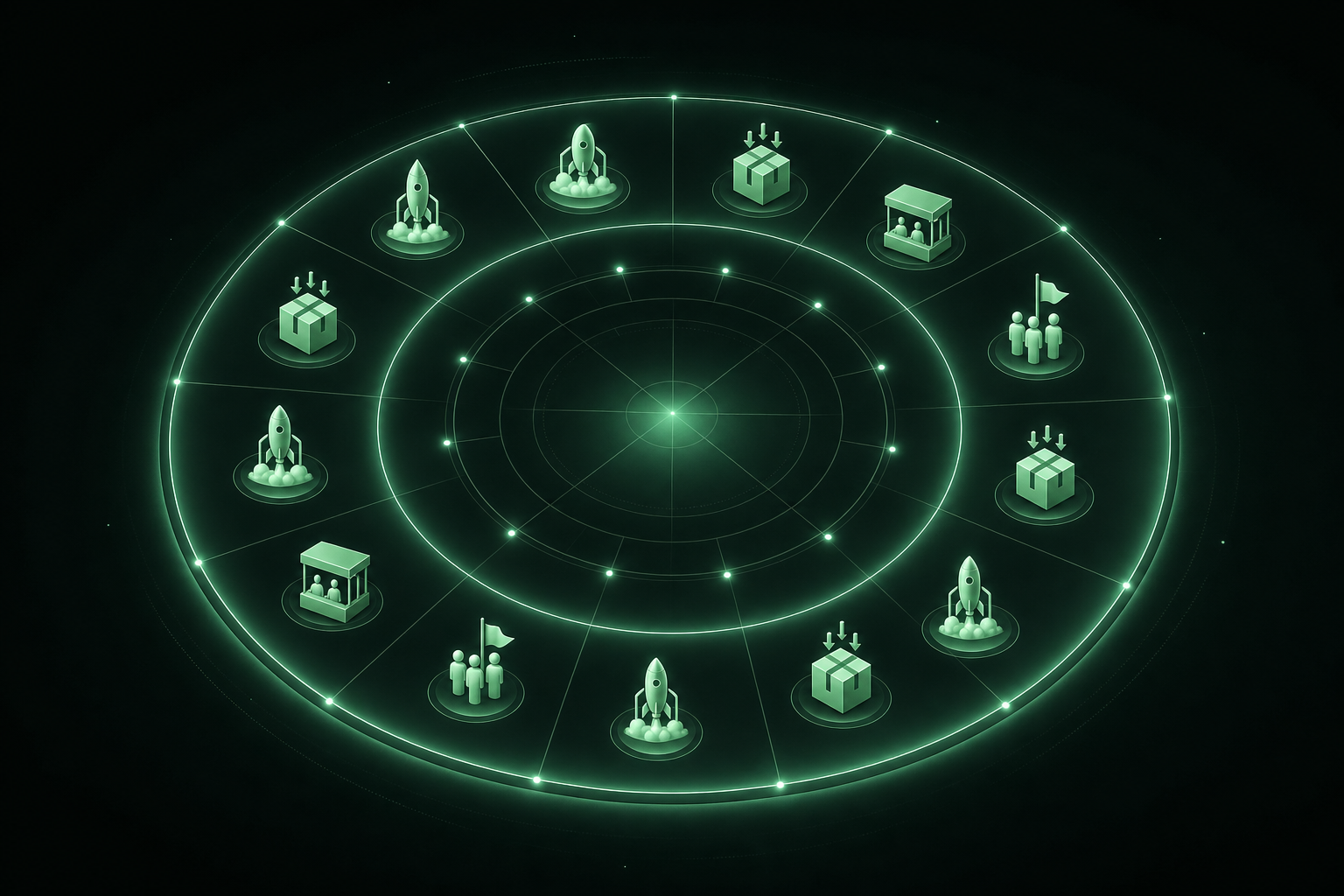
Planning gets messy when the year gets busy
Most inventory teams plan in fragments: a spreadsheet for campaigns, a calendar for trade shows, and a backlog for product development. It works until it doesn't. When launches, incoming shipments, and sales pushes collide in the same month, a flat list stops helping.
The fix isn't another spreadsheet. It's a visual overview of the entire year that shows what's coming, what's overlapping, and what needs attention.
That's why we built the Year Wheel in VNDLY.
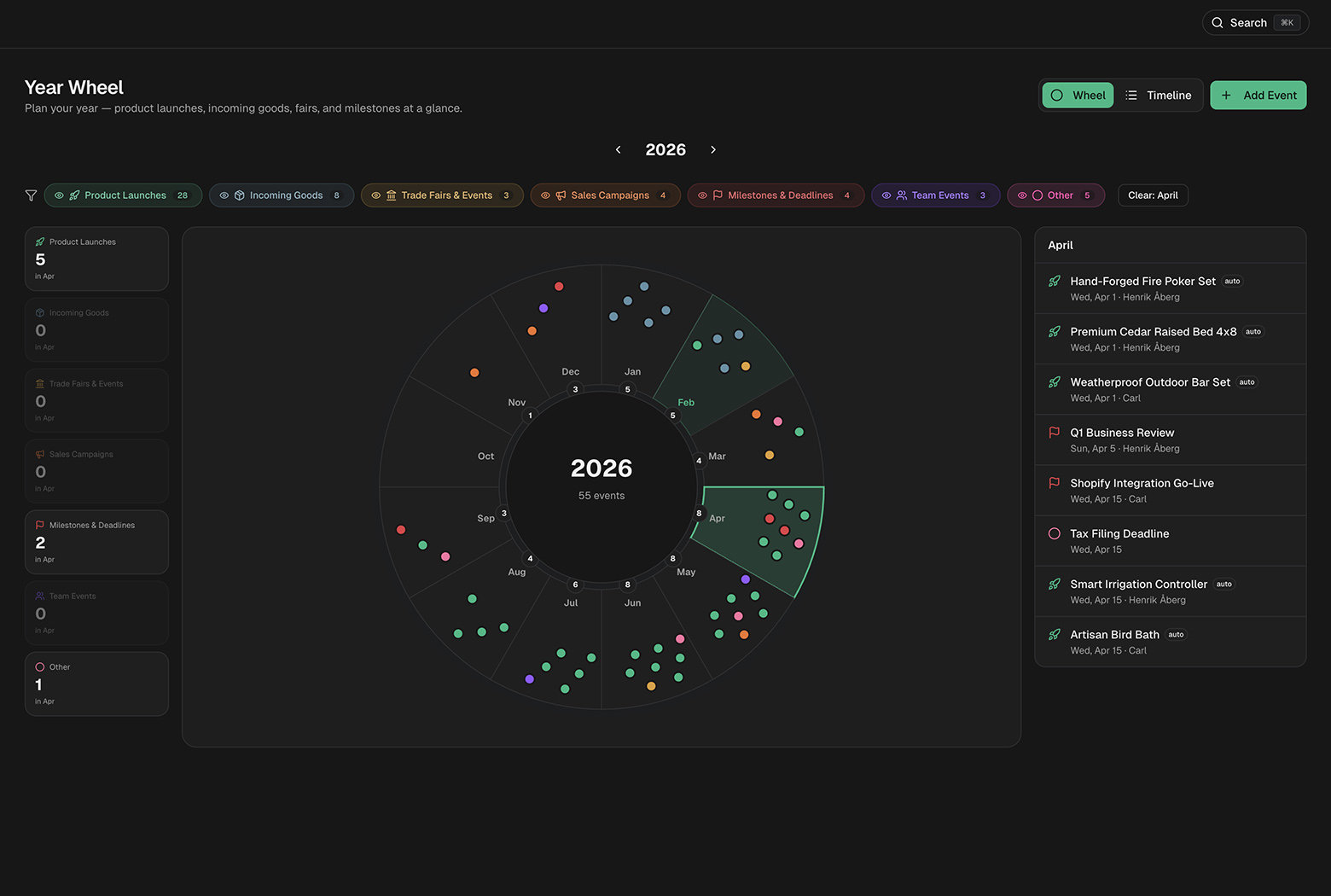
What is the Year Wheel?
The Year Wheel is a radial calendar that makes yearly planning easy to scan. Think of it as a compact, visual timeline for everything that matters:
- Product launches
- Incoming goods
- Trade fairs
- Sales campaigns
- Milestones and deadlines
- Team events
- Anything else you want to track
Instead of bouncing between tabs or calendar views, you get a single view of the year with filters and a timeline list when you need details.
Why a wheel?
A year is cyclical. The radial layout makes seasonal patterns and collisions obvious: what overlaps with a launch, what lands in your slow months, and which weeks are overloaded.
Event Types at a Glance
- Product Launches, Launch dates from the Development Pipeline
- Incoming Goods, Expected delivery dates from purchase orders
- Trade Fairs & Events, Expos, conferences, or trade shows
- Sales Campaigns, Promotions, catalog drops, outreach pushes
- Milestones & Deadlines, Quarterly reviews, audits, tax deadlines
- Team Events, Team offsites, hiring starts, internal milestones
- Other, Anything that doesn’t fit the above
Smart auto-mapping (less manual work)
Two event types are auto-connected to your data:
- Product launches pull directly from Development Pipeline target launch dates
- Incoming goods pull from purchase order expected delivery dates
That means your Year Wheel updates automatically as your product pipeline or purchasing schedule changes. No extra setup. No double entry.
Filters that make it usable
The wheel stays simple even when you have a lot going on. You can filter by:
- Event type (hide everything except launches, for example)
- Month (click a segment to focus the list)
- Timeline view (switch to a chronological list)
When a month is selected, the stats cards update to show only that month's event counts so you can see load and collisions right away.
How teams use the Year Wheel
Here are a few common workflows we see:
1) Launch coordination
If you're planning three launches in Q2, the wheel quickly shows whether those launches collide with supplier deliveries or big campaigns. That makes spacing decisions easier.
2) Trade show planning
Trade shows are expensive. When you see them on the same ring as launches and incoming goods, you can plan marketing assets, inventory, and staffing well ahead of time.
3) Seasonal promotion planning
Many inventory businesses are seasonal. The Year Wheel helps you plan promotions around your strongest months and avoid dead zones.
4) Team planning
Hiring starts, internal reviews, audits, and events all share the same timeline. That visibility helps prevent overload and missed deadlines.
It’s not just a pretty view
The Year Wheel is connected to real operations:
- Launch dates → Product development pipeline
- Incoming goods → Purchase orders
- Events → Team ownership and tags
It's a live planning layer that sits on top of your inventory workflow.
Start a 14‑day free trial and plan your launches, deliveries, and campaigns on one wheel.
Start Free Trial →Getting started
You can open the Year Wheel from the VNDLY sidebar. Add events in seconds, or let VNDLY auto-map them for you. Filters and the timeline list help you drill into details when you need them.
If you already use VNDLY, it's ready now. If you don't, the free trial gives you full access without a credit card.
Questions about the Year Wheel? Contact us and we'll help you set it up for your team.
Related articles
- Product UpdateProduct Development Pipeline Guide: Idea to Launch
- Product UpdateVNDLY Affiliate Program: Earn 20% Recurring Commission
- Product UpdateDrag, Drop, Done: How VNDLY Makes Inventory Management Fun
- Product UpdateVNDLY Scanner: Barcode & NFC Inventory Scanning 2026
- Product UpdateVNDLY Features: All-in-One Inventory [From $49/mo]
- Product UpdateVNDLY + ShipStation: Push Orders, Pull Tracking